
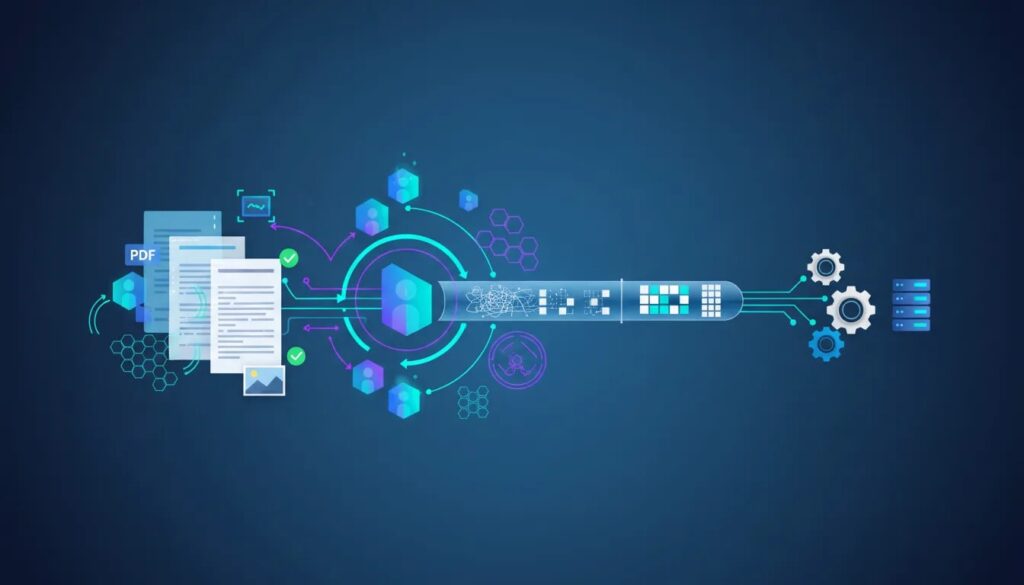
Unstructured data has been one of the hardest problems in AI automation for years. In most enterprises, roughly 80 to 90 percent of data lives in documents, emails, forms, images, PDFs, and other formats that do not fit neatly into rows and columns.
That is exactly where traditional document automation starts to struggle. Extracting data is only part of the problem. The bigger challenge is building a system that can receive documents from different channels, choose the best extraction strategy, validate what it finds, enrich it with business context, and then push the result into downstream systems automatically.
That is the idea behind agentic OCR. Instead of treating OCR as a one-step text recognition task, this approach turns document processing into an end-to-end, multi-agent workflow that is faster, cheaper, and more accurate.
The real enterprise problem: unstructured data
For nearly a decade, one issue has kept showing up across automation projects: unstructured data extraction. It is the bottleneck behind many business processes, especially in finance, operations, procurement, customer service, and compliance.
Think about all the places documents arrive from:
Email attachments
APIs
Web portals where users upload files
Scanned images
Native PDFs
Invoices and forms with tables
Traditional intelligent document processing, or IDP, has helped, but it often stops at extraction. In real operations, that is not enough. A business needs the full workflow automated from intake to action.
If your team is already tackling invoice workflows, this closely connects with broader AP automation and invoice processing efforts, where document extraction is just one part of the process.
What makes agentic OCR different
The key shift is moving from a single OCR engine to an agentic system with specialized roles.
At the center is an orchestrator, also called a manager agent. Its job is to coordinate the full workflow end to end. Rather than sending every document through the same pipeline, the manager agent decides what needs to happen next and delegates work to the right specialist.
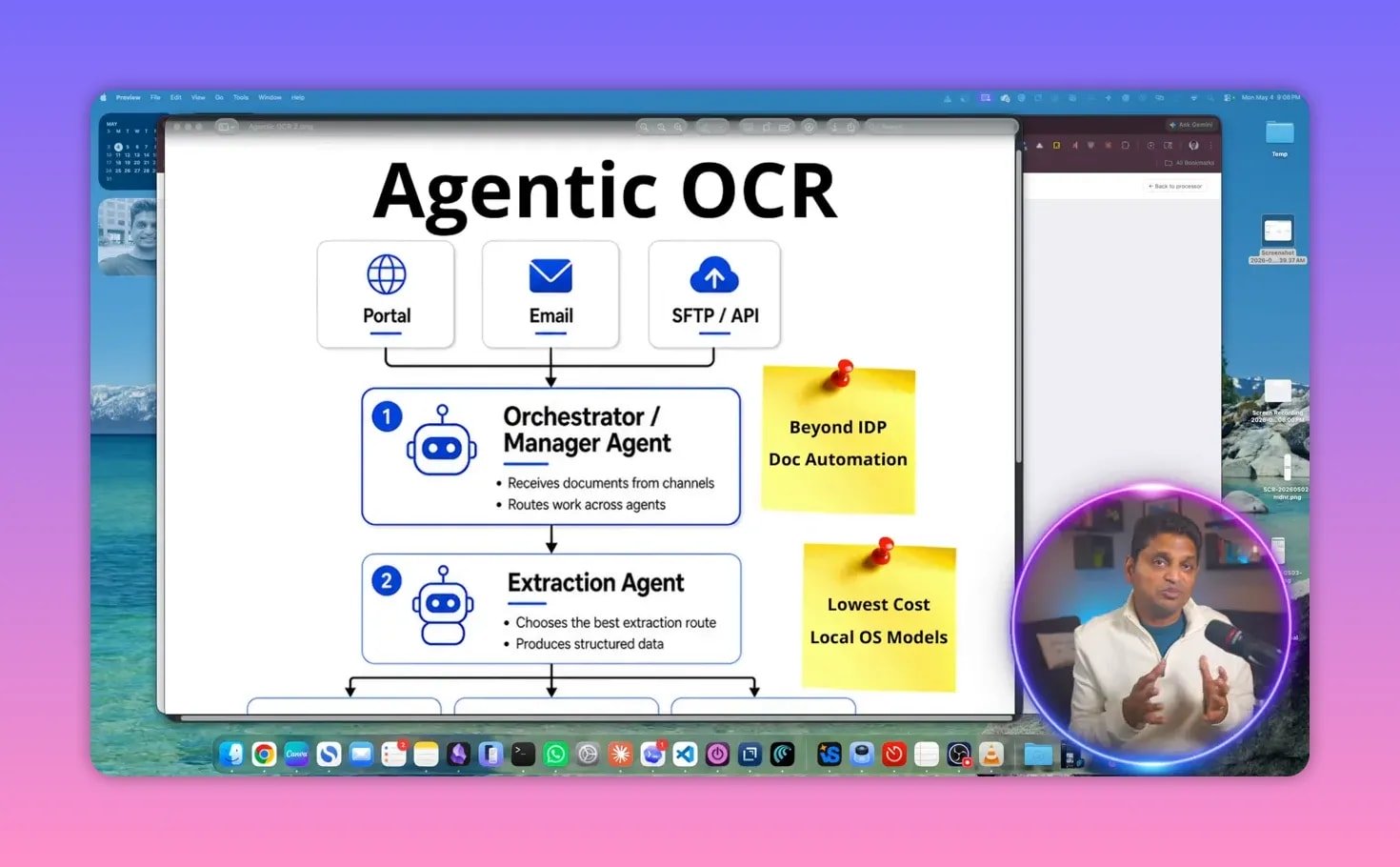
This makes the system more flexible than standard OCR or fixed IDP pipelines. Each document can take a different path depending on its structure and quality.
The high-level architecture
The system works like this:
Document intake: Files arrive through email, API, portal uploads, or other channels.
Manager agent: The orchestrator receives the document and starts the automation workflow.
Extraction agent: This agent analyzes the document and routes it to the best extraction path.
Specialist agents: These validate, enrich, and prepare the output.
System action agent: The extracted result is written into a business system such as a spreadsheet, QuickBooks, Microsoft Dynamics, SAP, or another application.
This is why the system goes beyond IDP. It is not just extracting fields. It is automating the entire document-handling cycle.
The orchestrator agent: the brain of the workflow
The orchestrator is what turns OCR into an automation system.
Its first task is to call the extraction agent and pass along the incoming document. From there, the orchestrator keeps the process moving. It can trigger validation, enrichment, and system actions in sequence.
In practical terms, that means one coordinating layer can manage document processing from start to finish without forcing every document into the same template or extraction engine.
This pattern is a strong example of how agentic AI can be used in operations. Instead of building one giant model to do everything, you build smaller agents with clear responsibilities and let an orchestrator manage them.
The extraction agent and intelligent routing
The extraction agent is where a lot of the value shows up.
Most legacy systems treat documents too uniformly. But not all documents should be processed the same way. A text-based PDF is very different from a scanned image. A document with multiple tables needs a different approach from a simple one-page form.
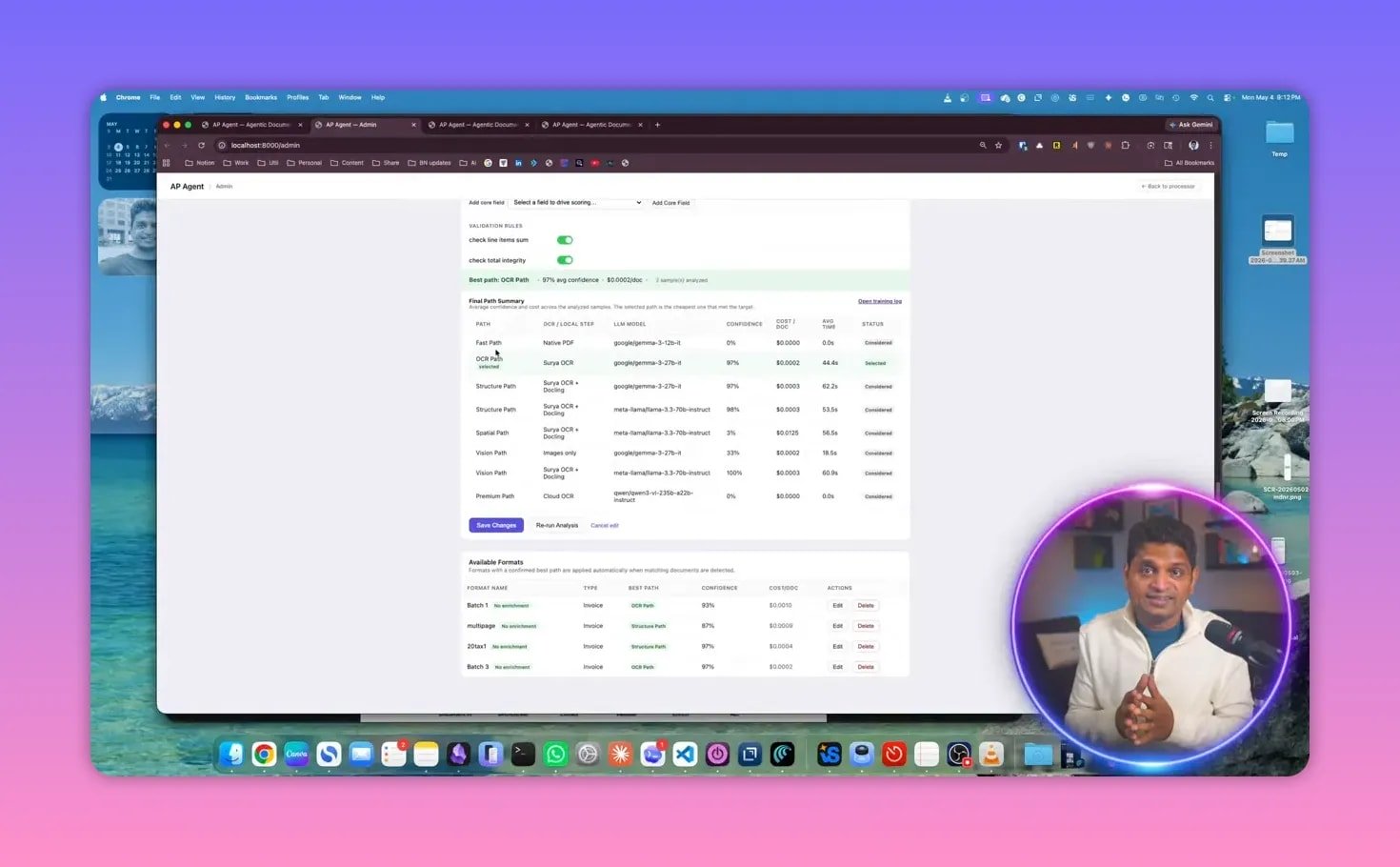
The extraction agent uses intelligent routing to send each document down the best possible path.
Possible extraction paths
Text path for native text documents
OCR path for image-based files
Layout or structured path for documents with multiple or large tables
Vision path when visual interpretation is needed
Premium or cloud path when local models are not sufficient
The important point is not just that multiple paths exist. It is that the system evaluates them with business constraints in mind:
Cost
Speed
Accuracy
The goal is to find the cheapest, fastest, best, accurate path for each document.
That routing capability is one of the biggest differences between agentic OCR and conventional document processing. Instead of overusing expensive models, the system tries lower-cost routes first and escalates only when needed.
That idea lines up with a broader trend in enterprise AI automation: use the simplest model that can do the job well, and reserve premium models for exceptions.
For teams evaluating OCR and extraction options more broadly, Amazon also has useful background on document AI through services like Amazon Textract, which is relevant when comparing extraction approaches across native text, forms, and tables.
Why local models matter
One especially interesting detail in this system is that these routing paths have been achieved with local models at this stage.
That matters for several reasons:
Lower operating cost
More control over data handling
Potential privacy and compliance advantages
Reduced dependence on external cloud APIs for every extraction task
And when local models are not enough, the system can still fall back to a premium or cloud path. That creates a practical balance between performance and cost control.
Specialist agents after extraction
Once the data has been extracted, it does not stop there. The result gets passed to specialist agents.
This is where the architecture becomes highly scalable. New agents can be added as needed for specific business requirements.
1. Validation agent
The validation agent checks rules and makes sure the extraction looks correct.
This is critical because OCR alone is never the final answer. Businesses need rule-based assurance, such as:
Is the invoice number present?
Does the total match expected formatting?
Are required fields populated?
Does the extracted data pass business checks?
Validation is what helps turn extracted text into trustworthy business data.
2. Enrichment agent
The enrichment agent adds business context.
For example, it can look up vendor codes and match them against reference data. This is a practical step that many real-world automations need. Raw extraction may identify a supplier name, but downstream systems often require a specific internal code or standardized mapping.
That means the system is not only reading documents. It is making them usable inside enterprise workflows.
3. System action agent
The final specialist in the chain is the system action agent. This is what takes the processed result and sends it where it needs to go.
That destination could be:
A spreadsheet
QuickBooks
Microsoft Dynamics
SAP
Any other business application
This is the difference between a demo that extracts fields and a system that actually supports operations. The output becomes an action, not just a JSON blob or a screen result.
A live invoice processing example
To make the architecture concrete, the system was demonstrated on an invoice workflow.
The process starts with a simple drag-and-drop upload of invoice samples. Once the document is received, the manager agent begins processing it.
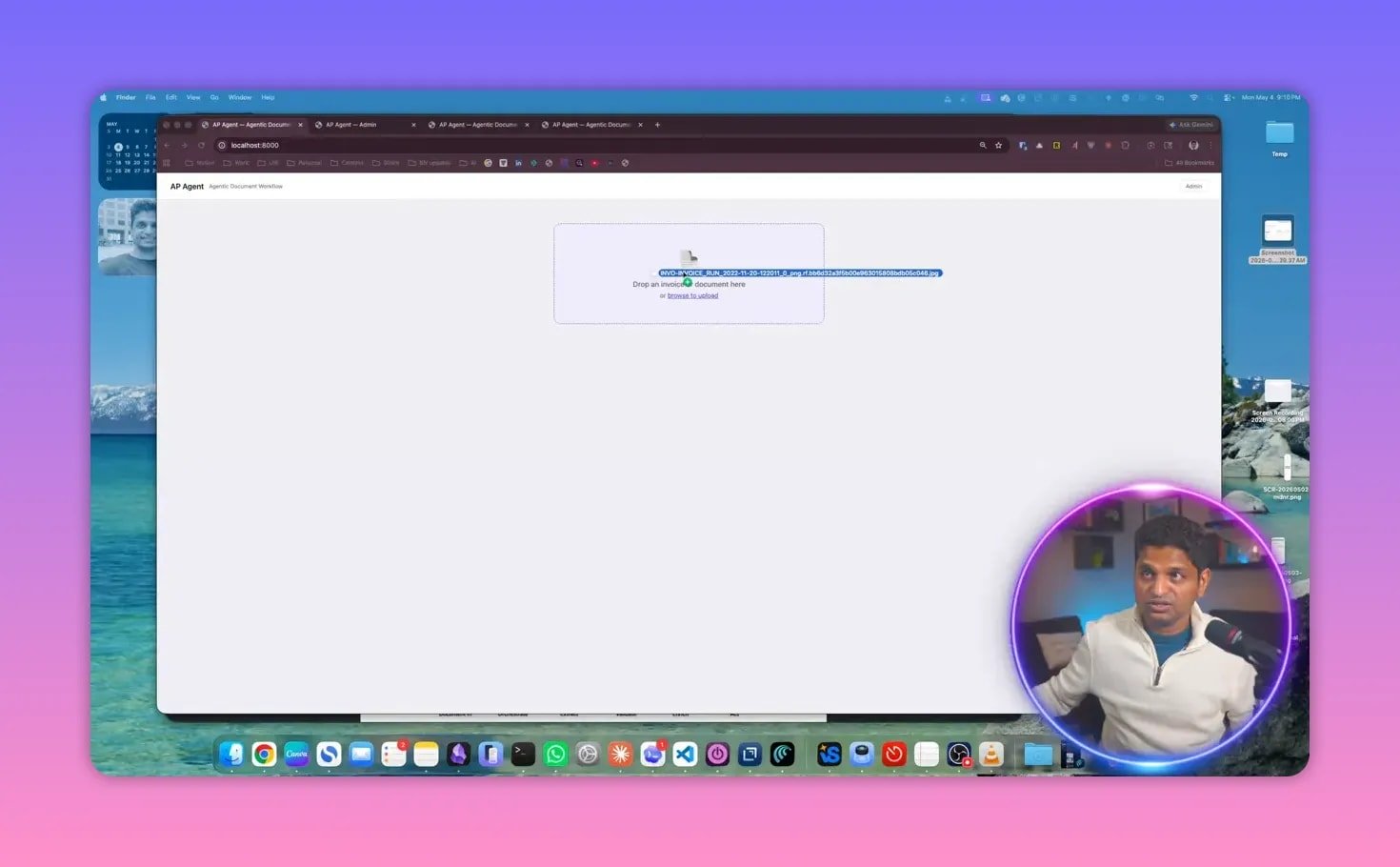
One useful part of the interface is that it allows configuration of the fields to extract. That means the system is not locked into one fixed output. You can select the data points that matter for your use case.
Then the routing logic kicks in.
How routing works in practice
Here is the practical logic behind the decisioning:
If the invoice is a native PDF with selectable text, it goes through a fast text path.
If the invoice is an image, it goes through the OCR path.
If the document contains tables, it goes through a structured or layout path.
The system also tracks the expected cost and speed for the selected route. If a lower-tier approach does not work, it can move to a stronger model and reevaluate cost and speed again.
This creates a dynamic optimization loop instead of a hardcoded one-model-fits-all pipeline.
In the invoice example, the uploaded document was an image. The system determined that the OCR path was the best and fastest route for that format, then processed the invoice accordingly.
Confidence scoring and human review
After processing, the system presents the extracted results along with a confidence score. In the example, the invoice extraction returned 95% confidence.
It also shows the configured format used for extraction and displays both:
The source invoice
The extracted data
This is important because confidence scoring by itself is not enough. People need to see the source document and compare it with the extracted fields when necessary.
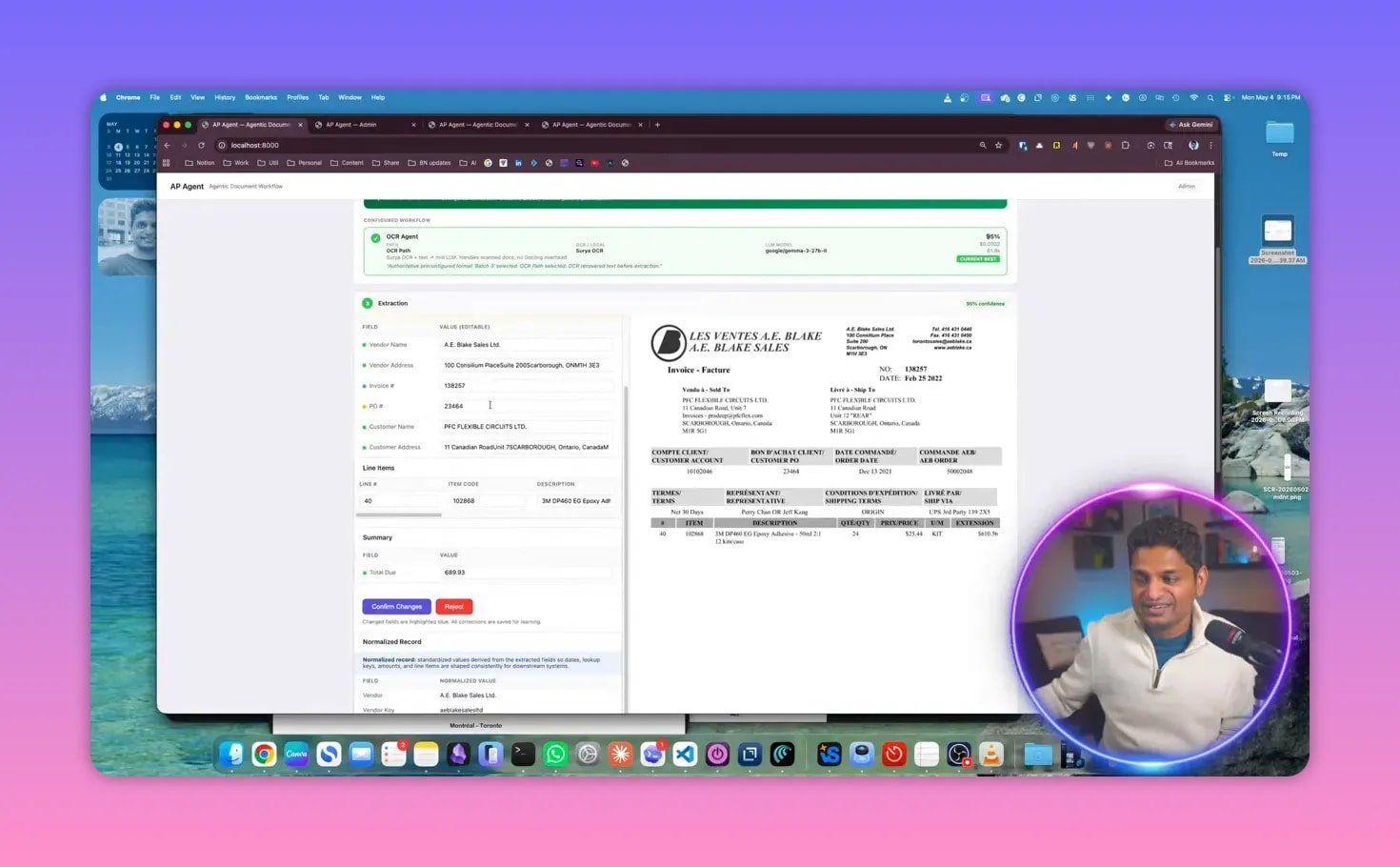
The interface supports corrections as well. If any field needs adjustment, it can be edited directly before confirmation.
That human-in-the-loop capability is often essential in finance and operations, especially during rollout or for edge cases. It improves trust and creates a path toward continuous improvement.
Confirming changes and writing to downstream systems
Once the extracted fields are reviewed and corrected if needed, the user confirms the changes. At that point, the document is marked as passed, and the system action agent sends the result to the target system.
In the demo, the destination was a spreadsheet. The extracted invoice data, including the line item, was written automatically.
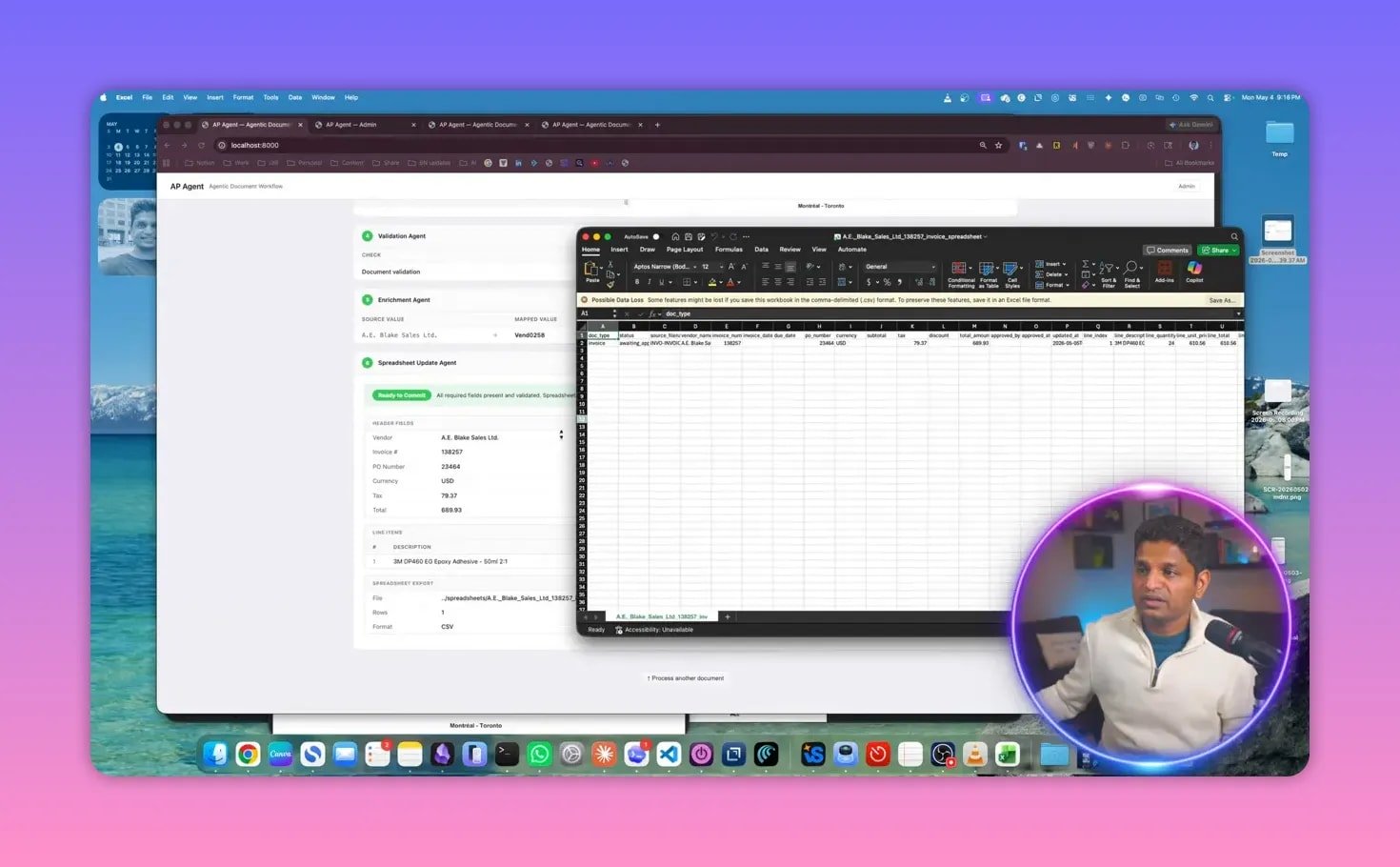
That may seem simple, but it highlights the real point of the platform: end-to-end automation.
OCR by itself is only useful up to a point. The real business value shows up when extraction flows straight into operational systems without manual copying and pasting.
Why this goes beyond traditional IDP
Traditional intelligent document processing typically focuses on recognizing text, classifying documents, and extracting fields. Agentic OCR extends that model in several important ways:
It orchestrates the whole workflow, not just extraction.
It uses intelligent routing to choose the best extraction method per document.
It optimizes for cost, speed, and accuracy instead of treating every file equally.
It adds specialist agents for validation, enrichment, and actions.
It connects directly to business systems so processing does not end at a result screen.
That is why this approach is better described as an automation system built on OCR, rather than OCR with a few extra features.
If this area is part of your broader automation roadmap, there is also a growing body of work around AI automation that shows how these systems are evolving from single-task tools into coordinated operational agents.
Where agentic OCR fits best
The invoice example is a strong use case, but the same architecture can be applied much more broadly wherever documents vary in format and quality.
Typical candidates include:
Accounts payable documents
Vendor invoices
Forms submitted through portals
Email-based document intake
Document workflows that require ERP or accounting system updates
Any workflow with mixed formats, extraction uncertainty, and downstream actions can benefit from this kind of agentic design.
The bottom line
Document automation gets much more useful when it stops being a single extraction step and becomes a coordinated system.
That is what makes agentic OCR compelling. A manager agent orchestrates the workflow. An extraction agent chooses the best route for each document. Specialist agents validate, enrich, and hand off the result to operational systems.
The outcome is simple but powerful: faster, cheaper, and better document processing.
For organizations dealing with unstructured data at scale, that shift can remove one of the biggest bottlenecks in enterprise automation.
If you are exploring how to bring agentic OCR into your organization, you can book a conversation here or connect on LinkedIn.